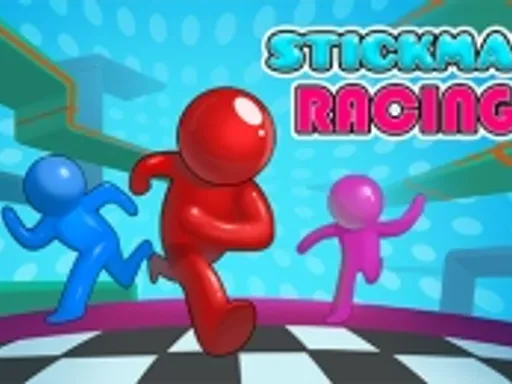
Stickman Racing






Rating:
4.50
Played:
25,089
Stickman Racing is a quick racing game where a simple stick figure runs, jumps, and battles gravity on obstacle packed tracks. The fun comes from clean timing, smart lines, and the tiny moments where you recover from a bad landing and still keep your speed.
You can play Stickman Racing on electricman.org directly in your browser. This guide explains what Stickman Racing is, how browser play works, the controls, where the stickman style comes from, and the most common questions new players ask.
What Is Stickman Racing?
Stickman Racing blends racing with platform skills. You guide a character through gaps, ramps, slopes, and tight landings, aiming to reach the finish as fast as possible. Many versions are physics based, so momentum and angles matter and a single mistake can cost the run.
What you do in a typical race
A round usually starts with a short countdown, then you sprint into hazards. Some sections push you to jump at the last moment, while others ask for steady control on uneven ground. Courses often include tricky curves and steep slopes that force you to balance speed and safety.
Why the game feels so replayable
Levels are usually short, and restarts are quick. That loop makes improvement feel obvious: you spot the problem, retry, and shave seconds. Over time, Stickman Racing turns into a timing game where you remember each jump like a beat in a song.
Play Stickman Racing in Your Browser on electricman.org
One reason Stickman Racing works so well online is that modern web games can run in the browser without extra plugins. This means you can usually start instantly, with fast loading and simple setup.
How to start
Open electricman.org, find the Stickman Racing page, and press Play. If a menu appears, follow the on screen prompts to begin. Many builds are designed for quick browser play, so you can jump into a run within seconds.
Tips for smooth performance
For the best feel, keep your browser zoom around 100%, close heavy tabs, and refresh if controls feel delayed. If you use a laptop, performance mode can help keep the frame rate steady.
Stickman Racing Controls and Movement
Stickman Racing keeps inputs simple so the challenge stays in timing. Most browser versions use arrow keys or WASD for movement, and Space to start or continue.
Keyboard controls
In many versions, you move with Left and Right arrows, or A and D, to adjust your line and keep balance on slopes. You jump with the Up arrow or W. Space often starts a run, continues after a pause, or restarts quickly after a fall.
Some versions include extra movement tricks depending on track design, such as using momentum to clear gaps, chaining jumps smoothly, and landing at stable angles to avoid bouncing.
Mobile controls
On mobile, Stickman Racing usually shows buttons on screen. You will tap to jump and tap or hold to adjust direction. Mobile play can feel great on newer devices, especially with a clean screen and a stable connection.
Timing basics that win races
Good runs come from three habits.
Jump with intention. Early jumps can float you into a bad angle, while late jumps often land flatter and keep speed.
Land clean. If you touch down at a steep angle, physics based movement can bounce you or slow you down.
Learn the rhythm. Tracks repeat patterns, so once you find the timing, the rest of the level becomes much easier.
Where Stickman Racing Comes From
The look of Stickman Racing comes from stick figures, simple drawings of people built from lines and a circle. The style is widely recognized and works well for motion because it stays readable even at high speed.
Why stickman games fit the web
Stickman games became popular online because they are lightweight and clear. With a simple character, developers can focus on physics and level design, and players can understand what happened when they fall.
From older web games to modern browser play
Many classic browser games were once delivered through plugin based formats. Today, most stickman racing style games are delivered with modern web standards, making them easier to run on current browsers.
Tips to Improve Your Times
If you want faster results, treat each level like a puzzle.
First, find the safe line. Finish the level twice without rushing, just to learn where the danger zones are.
Next, speed up one section at a time. When you fail, retry and change a single thing, like jump timing or landing angle. That focused practice is how Stickman Racing players get consistent.
Finally, watch your momentum on slopes. Slopes can launch you into bad jumps, so make small adjustments before the edge and aim for stable landings.
Stickman Racing FAQ
Is Stickman Racing free?
Stickman Racing is commonly offered as a free browser game. On electricman.org, you can start playing quickly without installing anything.
Can I play Stickman Racing at school or work?
If your network allows web games, Stickman Racing often works because it runs in a normal browser tab. If the site is blocked, you will need to play later on a different connection.
Does Stickman Racing work on mobile?
Many players enjoy Stickman Racing on mobile, using on screen buttons. If your phone is older, lowering background activity can help performance.
Why does Stickman Racing feel laggy sometimes?
Lag usually comes from a busy device or a heavy browser session. Close extra tabs, refresh the page, and try another modern browser to see if responsiveness improves.
I keep failing the same jump. What should I change?
That usually means your jump timing is slightly early, or your landing angle is steep. Try delaying the jump a fraction, then aim to land flatter so your character keeps forward speed.
Play Stickman Racing on electricman.org
If you want a skill based race you can learn in minutes, load Stickman Racing on electricman.org and start chasing cleaner runs. Stickman Racing rewards patience, timing, and the small improvements that add up fast.




Comments
Loading comments…