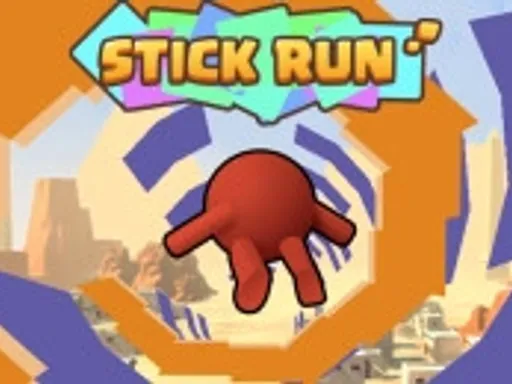
Stick Run

Rating:
4.44
Played:
5,044
What Is Stick Run?
Stick Run is a fast reaction running game with a stick figure hero. You run forward through short obstacle patterns and try to stay alive long enough to finish a level or set a personal best. The core challenge is timing. Some hazards sit high, so you must jump. Others block the upper path, so you must slide or roll at the right moment. If you hesitate, you crash.
This simple design is why Stick Run is easy to start and hard to master. The movement feels quick, the gaps are tight, and the game rewards focus. Many editions also include coins, points, or unlocks, so each run can feed into a longer goal. Some releases are level based with clear finish lines. Others are endless, where distance is the score. A few versions also add competitive features, like racing against friends or comparing times.
Play Stick Run in Your Browser
You can play Stick Run online on electricman.org in a normal web browser. That is the most convenient option if you want instant gameplay without installing anything. Open the game page, press start, and you are in.
For smooth performance, use a modern browser like Chrome, Edge, or Firefox. If the game feels slow, close extra tabs and pause downloads. Full screen mode can also help you see obstacles earlier. On some builds, your browser may save basic progress automatically, so returning later can feel seamless.
Stick Run is usually best on desktop because keyboard timing is precise. If the game offers different modes, start with the one that feels slower so you can learn the timing. If you play on mobile, try landscape orientation and make sure your browser is not zoomed in. Touch input can work well, but it often demands cleaner timing.
How to Control Stick Run
Basic keyboard controls
Most browser versions keep controls minimal so you can react quickly. A common layout is:
Up Arrow or W to jump
Down Arrow or S to slide or roll
Space may jump in some versions or confirm menus
Some releases support both arrow keys and WASD, so you can choose what feels natural. If you see an on screen tutorial, follow it, because jump can be mapped to Space in certain builds.
Touch controls
On phones and tablets, the game often uses simple gestures:
Tap to jump
Swipe down to slide or roll
Tap to start and confirm menus
If your timing feels late on mobile, tap a little earlier. There can be a small delay between touch input and the animation, and learning that delay is part of the skill.
Small habits that help you improve
In Stick Run, calm inputs beat frantic inputs. Do not hold a slide longer than needed, because you must be ready for the next jump. Watch the spacing between obstacles. Many courses are built from repeating patterns, so once you recognize one, you can move with rhythm instead of panic.
If your version includes coins, treat them as a bonus. First learn to survive the patterns. After you can clear a section reliably, then add coin collection to your route.
Tips for New Players
Stick Run looks simple, but small decisions make a big difference. Keep your eyes slightly ahead of your character so you can plan the next move early.
If your version has levels, replay early stages to build muscle memory. If it is endless, set a small goal like beating your best distance by a few seconds.
The Origin of Stick Run
Stick Run became widely known as a browser parkour runner on a major social network, where it attracted a large player base and strong competitive interest. Many reports place the original release around 2010 on that platform, with later releases bringing the same idea to mobile devices.
The game is commonly credited to Manuel Otto, also known as Marc Emanuel Otto, and it grew through quick sessions, simple controls, and social competition.
Because the name is catchy and the concept is easy to remake, you may see several different games called Stick Run across the web. Some focus on endless distance. Some focus on stage based challenges. Some focus on online play. That is normal for popular stick figure runners. The version you play on electricman.org is designed for quick browser sessions, with the classic feel that made the concept so addictive.
Stick Run FAQ
Is Stick Run free to play in the browser?
On electricman.org, you can launch the game in your browser and start playing right away. You do not need to install an app to enjoy Stick Run.
Do I need to download anything?
No. Stick Run runs in your browser. If the page loads, the game can run.
Can I play on mobile?
Some builds support mobile browsers with tap and swipe controls. If the timing feels inconsistent, try desktop for tighter control. You can still enjoy Stick Run on mobile for short sessions if your device is fast enough.
What are the main controls?
In most versions, you jump with Up Arrow, W, or Space, and slide with Down Arrow or S. If your game shows a control overlay, use that as the final reference.
Why does the game feel laggy?
Lag usually comes from browser load. Close heavy tabs, disable resource heavy extensions, and make sure your device is not in a strict power saving mode. If Stick Run still stutters, try another browser.
Does it save progress?
Some browser versions store basic progress in your browser storage. If you clear cookies or use private browsing, the game may not remember anything.
Is there multiplayer?
Certain editions include multiplayer or competitive modes such as racing, comparing times, or playing on shared maps. If your Stick Run page offers a multiplayer option, you can try it for an extra challenge.
How do I get better at Stick Run?
Practice the patterns. Jump slightly earlier than you think. Keep slides short. Most mistakes happen when you react late or hold a move too long. Stick Run rewards steady rhythm more than risky moves.
Comments
Loading comments…