Flash Games in 2026: A Practical Guide to Safe Play, Preservation, and Better Performance
A practical guide to playing flash games safely in 2026, with emulation basics, performance tips, preservation context, and SEO-minded site practices.
Flash Games in 2026: A Practical Guide to Safe Play, Preservation, and Better Performance
Flash games did not disappear when Flash support ended. They changed form. In 2026, many players still enjoy flash games through modern emulation, better browser tools, and focused community archives. If you grew up with this era, you know why that matters. Flash games were often small, strange, creative, and easy to share. They were also a training ground for many game developers.
Today, the challenge is not nostalgia alone. The challenge is access. You need safe ways to run flash games, clear ways to judge quality, and simple habits that keep performance smooth. This guide gives you that system in plain language.
You can see this model in action on electricman.org, where classic play is delivered in a modern browser setup. The goal is simple: keep flash games playable, safe, and fast for everyday users.
What Changed After Flash Ended
Adobe published a clear end-of-life timeline for Flash Player. Support ended on December 31, 2020, and Adobe blocked Flash content in Flash Player starting January 12, 2021. Adobe also recommended uninstalling old Flash Player versions and warned users not to download unauthorized installers.
That timeline matters because it forced a reset. Old plug-in workflows were done. To keep flash games available, sites had to move to new approaches. The strongest path was emulation inside modern browsers, not reinstalling old plug-ins.
This is why many people can still play flash games today without reopening the same risks that damaged trust in the old stack. The new workflow is not perfect, but it is much safer and easier to maintain.
Why Flash Games Still Matter
Some people ask why flash games are worth preserving at all. The answer is bigger than one title. Flash games captured a period when solo creators and tiny teams could publish rapidly and reach real audiences. The creative bar was low. The idea bar was high.
You can still feel that design style in many classics. Flash games usually get to the point fast. The controls are simple. The loop is clear. The feedback is immediate. Players can start in seconds and test skill in short sessions.
That design is still useful in 2026. Modern games can learn from flash games in pacing, readability, and replay value. Teachers can also use flash games to show beginner game design patterns, because the structure is often easy to inspect.
When we preserve flash games, we preserve cultural memory and design history at the same time.
How Flash Games Run in Modern Browsers
Most public websites now rely on emulation layers such as Ruffle. Ruffle states that it is an open-source Flash Player emulator built in Rust and WebAssembly, designed to run on modern browsers and operating systems. The security model is very different from legacy plug-ins.
Ruffle also publishes compatibility progress by ActionScript generation. In plain terms, older content often runs better, while some newer content still has edge cases. That means your results may vary by game, but the baseline keeps improving.
This is important for users and site owners. Users get easier access to flash games with less setup. Site owners get a maintainable path that does not depend on unsupported binaries from random download pages.
For example, when a site like electricman.org serves classic content through modern emulation, users can jump in quickly, test controls, and reload often without old plug-in friction.
The Safety Checklist Before You Play
If you want to enjoy flash games safely, use this short checklist every time:
- Use trusted websites with clear ownership and stable updates.
- Avoid third-party "Flash Player installers" from unknown pages.
- Keep your browser up to date.
- Use normal browser security settings.
- Leave if a page pushes suspicious pop-ups or fake update alerts.
Adobe's own end-of-life guidance still applies: old unauthorized Flash binaries are a known risk. In 2026, safe access to flash games should come from modern emulation, not from legacy executable downloads.
A second safety layer is browsing behavior. Do not download random files just to open flash games. Do not disable core browser protections. If a site needs too many exceptions, pick another site.
Performance Basics for Better Flash Games Sessions
Even good emulation can feel slow on a messy browser setup. If your page is heavy, input response drops. That hurts timing-heavy flash games.
Google's web performance guidance around Interaction to Next Paint (INP) is useful here, even for game pages. INP became a Core Web Vital on March 12, 2024, replacing FID. A responsive page feels alive. A delayed page feels broken.
Use these habits before you start a long flash games session:
- Close heavy tabs you are not using.
- Pause background downloads.
- Keep browser extensions minimal during play.
- Avoid multiple screen recorders at once.
- Restart the tab if input begins to lag.
If you are a site owner, focus on main-thread work, script weight, and interaction delay. You do not need complex tuning to improve flash games responsiveness. Small changes in script load and event handling can make controls feel much cleaner.
Keyboard Input: A Small Detail With Big Impact
Many classic titles depend on tight keyboard timing. MDN explains that KeyboardEvent.code tracks physical key position, while legacy keyCode is deprecated. For game-like input, that distinction can reduce layout-related confusion.
Why does this matter for flash games portals? Because users on different keyboard layouts still expect stable movement keys. If the input layer is modern and consistent, flash games feel fairer across regions and devices.
This also helps support pages and tutorials. When you document controls for flash games, explain both physical key intent and visible key labels. That small step lowers frustration for first-time players.
Preservation Is More Than Hosting Files
Putting one SWF file online is not always enough. Some flash games depend on extra assets, old paths, or server-style behavior. Preservation teams solve this with workflows, metadata, and testing.
The Internet Archive wrote in November 2020 that it added Flash support in its Emularity system using Ruffle, making many works playable in-browser without the old plug-in. That was a key shift: preservation moved from static storage to practical access.
Flashpoint also describes preservation at scale and reports that, since 2017, over 200,000 games and animations have been preserved across many web technologies. That scale shows the work is active, not finished.
So when we talk about flash games preservation, we should think in layers:
- Keep files available.
- Keep context and metadata clear.
- Keep execution paths testable.
- Keep legal and creator attribution visible.
Without those layers, flash games become hard to trust or hard to study.
A Simple Quality Rubric for Players
Not every portal handles flash games well. You can judge quality fast with this rubric:
- Load behavior: Does the game start cleanly with no fake prompts?
- Input feel: Are controls consistent during a full round?
- Restart speed: Can you retry quickly without layout glitches?
- Device behavior: Does the page stay stable on desktop and mobile browsers?
- Trust signals: Is there clear site identity and policy transparency?
When a site passes these checks, flash games become much easier to recommend to friends, students, or younger players.
You can apply this same rubric to electricman.org. The point is not marketing language. The point is repeatable user experience for real sessions.
How Site Owners Can Improve Flash Games SEO
If you run a classic portal, SEO is not only about ranking. It is also about helping the right users find working pages instead of broken mirrors.
Use this practical structure for flash games content pages:
- One clear primary topic per page.
- Honest title and summary with intent-focused wording.
- Clean heading structure with scannable sections.
- Helpful FAQs based on real user friction.
- Internal links between related flash games and guides.
- Lightweight pages with strong interaction response.
Google's people-first content guidance aligns with this approach. Write to solve user problems, not to stuff pages with noise. If your page helps users play flash games safely and quickly, that value is visible.
A clean SEO model also helps long-term preservation. Better discovery means fewer dead links and fewer users landing on risky clones.
Practical Plan: Keep Flash Games Useful for the Next Five Years
If you are a player, your plan is simple:
- Use trusted portals.
- Keep your browser updated.
- Report broken content with clear notes.
- Save links to stable collections.
If you are a creator or site owner, your plan has five parts:
- Standardize emulation deployment.
- Monitor interaction performance monthly.
- Keep content metadata accurate.
- Publish transparent safety and rights policies.
- Build topic pages that explain how to run flash games correctly.
None of this requires a huge team. Flash games portals grow stronger when they improve small operational habits over time.
Common Myths About Flash Games in 2026
Myth 1: "Flash games are dead."
Not accurate. The plug-in era ended, but flash games remain playable through modern emulation and active archives.
Myth 2: "You must install old Flash Player to run flash games."
Wrong. In most cases, that is the risky path. Modern browser-based emulation is the safer default for flash games.
Myth 3: "Only collectors care about flash games."
Also wrong. Players, educators, designers, and historians all use flash games for different reasons.
Myth 4: "Performance does not matter for old games."
It still matters. Input delay can ruin tight timing in flash games, especially in action titles.
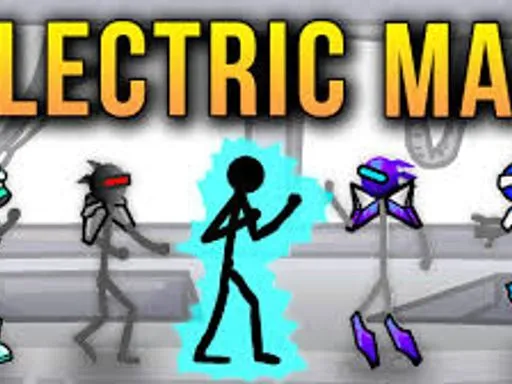
Where This Leaves Electric Man Players
If your main goal is to play Electric Man smoothly, the same rules apply. Use a trusted site, keep sessions lightweight, and test input response early.
On electricman.org, you can run short practice loops and see quickly whether your setup is stable. That is useful for both new and returning players.
Electric Man is one example, but the same mindset works across many flash games. Safe setup plus clean performance equals better play.
Final Thoughts
Flash games are not just old files from another era. Flash games are part of web history, design history, and player memory. The tools changed, but the value remains.
In 2026, the best way forward is clear: use modern emulation, follow safe browsing habits, and support archives that do preservation correctly. If you run a portal, focus on trust, speed, and clarity. If you are a player, choose stable sites and keep your setup clean.
That is how flash games stay alive for the next generation.
Start with one reliable page, test your input, and play a few rounds on electricman.org. Then apply the same standards to every other flash games page you use.